Showing posts with label Printables. Show all posts

Thursday, June 28, 2012

My First Giveaway! {My Memories Suite}

Yesterday, I shared two free printables that I created for Canada Day using the digital scrapbooking software My Memories Suite.
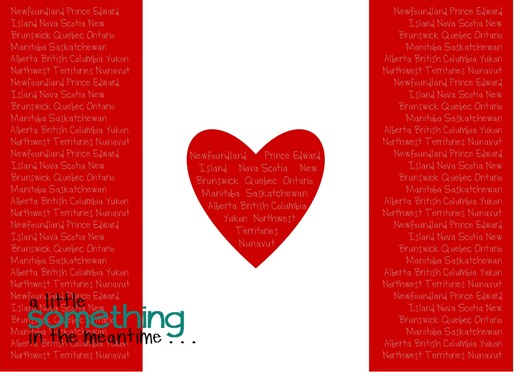
Canada Flag Provinces Printable WM

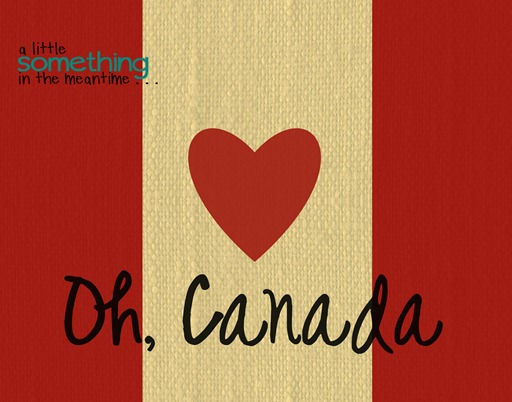
Oh Canada Printable

I was given the opportunity to play around with my own copy of this software and then give away a second copy to one of my AWESOME readers.


The first thing that you should know is that it is a digital download so the lucky winner will simply need to plug-in a download key and just like that they will have their own copy.

My Memories Suite software is very user-friendly and enables you to create scrapbook layouts, printables, blog design elements etc. using a combination of pictures and fonts already installed on your computer. You are also able to purchase additional digital layouts, paper packs and embellishments to suit your needs.

I think this would be a great program to use to create your own subway artwork. If you do a quick search in blogland for My Memories Suite, you will discover a wide variety of ways to utilize this software. It’s not just for scrapbooking!

One of my favourite features is the ability to convert your projects into JPEGS and PDFs. After selecting the ‘Share Album’ button, you can “export pages” in your preferred format. This reduces the size of your file and makes it easier to print and share with other people.

I have only just started to explore all the great features of this software. I know you’ll have fun doing the same!


The Giveaway Details

One winner will be randomly selected from the comments below.

To be eligible to win there are two things that must be included in your comment below:

1. Visit the My Memories website and select your favourite digital paper pack. Tell me which pack is your favourite.

2. Tell me how you found my giveaway or how you read/follow my blog (GFC, Linky, Google Reader etc.). I want to know about my wonderful readers!

* Make sure that there is a way for me to contact you via email if it is not already linked to your comment profile *

The contest will close at midnight on Thursday, July 5th.

The winner will be announced on Friday, July 6th.

Good luck!

P.S. If you are interested in purchasing this software, a little something in the meantime readers will receive $10 off the purchase of My Memories Suite as well as a $10 coupon for the My Memories store, using this code at checkout: STMMMS94569


Wednesday, June 27, 2012

Canada Day Mantel and Free Printables

Mantel Spread WM

July 1st, 2012 will be Canada’s 145th birthday. To celebrate my Canadian roots, I made my first ever Canada-themed mantel!

I dipped into my stash of red decor from my Valentine’s Day mantel, and then added some Canadian touches.

1955 Plate

The license plate was something that Mr. Mechanic pulled out of our fireplace when he attempted to repair the masonry. The previous owners modified the size of the firebox and tried to fill the gap between the bricks by stuffing it full of random metal garbage. We found at least 6 plates, but this one was definitely in the best shape.

Provinces Flag WM

The Pop Shoppe bottle brings back memories of drinking Lime Rickey pop at my Grandparents’ house growing up. It was originally bottled very close to where I live. There was always a crate of these hiding in a closet somewhere. This is a fairly new bottle, but I have a crate full of these waiting for me up north in the shed at the cottage.

The globe was from Michaels and I bought it with a 50% off coupon so it only cost me $2.50. You will see it popping up in another vignette that I created with some fun garage sale finds.

The flag artwork is my first Canada Day printable created using the digital scrapbooking software My Memories Suite.

I created an 8 x 10 printable that has a background made up of all the names of Canada’s provinces and territories.

Canada Flag Provinces Printable WM

{Download your own copy here!}

I also created a second My Memories Suite printable that is not shown on the mantel.

The burlap paper effect that I chose for the background has a more rustic look to it that did not go as well with the white of my other mantel decor. It is on display in my Kitchen instead.

Oh Canada Printable

{Download your own copy here}

On the other side of the mantel, you will spy this little vignette.

Ombre Maple Leaves WM

Of course, I had to include some red paint chips in my Canada Day decor!

I lined a Gem mason jar (made in Canada) with a large paint chip and also used one as the background in my Michaels dollar bin frame. I happened to have a package of Canada-themed charms from a Walmart clearance jewelry purchase last year. My school hosted a Canadian citizenship ceremony so I wore a flag charm on my necklace to show some Canadian patriotism. I mounted the charm onto the paint chip with a foam dot.

The ombre artwork was created in Silhouette Studio using this tutorial and the Print and Cut feature. It was so easy! Even if you don’t have a Silhouette machine, the software is free to download and there is a free weekly shape released every Tuesday.

I also created my banner with my Silhouette and my favourite pennant shape.

Canada Day Banner WM

I cut three red pennants, four white pennants and two maple leaves (divided in half). Then, I attached the maple leaves to the white pieces with spray adhesive.

Once the pieces were cut and assembled, I used a punch tool to add silver eyelets and then threaded all the pieces onto red and white Baker’s twine.

I knew that I wanted to use an odd number of pennants so it worked out perfectly that the center piece of red could tie together both flags.

Canada Day Banner Zoom WM

That’s it!

Mantel Spread WM

I had so much fun putting together all the elements of my Canada Day mantel. I hope that if you’re a Canadian you might include one of my printables in your decor this July 1st!

Come back tomorrow for the giveaway details on how to win your own copy of My Memories Suite!

Pin It

P.S. Check out my other seasonal mantels here, here and here!

P.P.S. The red bandana was just a Dollar Store purchase.


I link up at: Serenity Now, I {Heart} Naptime, Under The Table And Dreaming, NiftyThrifty Things, Simply Klassic Home, Home Stories A to Z, Craftomaniac, Skip To My Lou, Not JUST A Housewife, A Bowl Full Of Lemons, Alderberry Hill, I Should Be Mopping The Floor, A Diamond In The Stuff, Creatively Living, The Winthrop Chronicles, Clean & Scentsible, Oopsey Daisy, Lil’ Luna, Live.Laugh.Rowe, The 36th Avenue, aka design, House of Hepworths, 52 Mantels, Thrifty Decorating, Crafty Scrappy Happy, How To Nest For Less, Tatertots & Jello, The Grant Life, It’s Overflowing, Lolly Jane, Too Much Time, Six Sisters’ Stuff, Positively Splendid, My {Re}purposed Life, Just Us Four and The Crafted Sparrow

Thank you to all the hosts!


Sunday, April 15, 2012

Favourite Fonts Part 1

I love fonts.

I have almost 400 installed on my computer.

I think of fonts as accessories for my projects – the right font can completely transform a card, printable or sign.

Some of my favourite posts on the blogs that I follow are the ones where bloggers share great free font suggestions.

So, without dragging it out any longer, here are 10 of my current favourites!

A Little Something In The Meantime Favourite Fonts

These fonts are usually my go-to fonts when I cut any text or use my sketch pens with my Silhouette Cameo.

I recently discovered that Too Much Paper is a great font to weld together for text on cards.

You can download each of these fonts for free by clicking on the name.

1. Barrel   2. Champagne & Limousines  3. Desyrel  4. English Essay  5. Minya Nouvelle  6. Mossy  7. Ostrich Sans Rounded  8. Pea Hollee  9. Too Much Paper  10. Traveling_Typewriter

Here are some of my past blog projects that feature these fonts in action:

Barrel Grow Sign WM

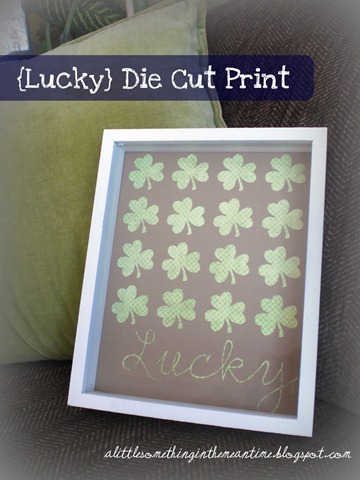
English EssayLucky Die Cut Print

MossyApril Birthday Card Finished

Mossy & Traveling_TypewriterOur House WM- alittlesomethinginthemeantime

Ostrich Sans RoundedChristmas print framed

Pea HolleeBlog Button cropped

Too Much PaperWelcome Little One WM

{More on this one next week}

A Little Something In The Meantime Favourite Fonts

Do you have any favourite fonts to recommend? I’m always looking for more!

Pin It

Linking up to these Link Parties!

Thank you to all the amazing hosts!

Sunday, March 25, 2012

Kitchen Shelving Transformation – Die Cut and Free {Our House} Printable

Time for the fourth project from my kitchen shelving transformation (which was featured on Home Stories A to Z today – so exciting!).  To date, I have shared about the burlap board, the painted wooden boxes and the metal tray upcycle.

Today, it’s all about my “faux printable,” with a special download for my fabulous readers.

Our House Printable - Banner

This faux printable sits on top of a dresser that I bought off of Kijiji (like Craigslist) last year to add some additional storage in the kitchen. It is usually where I display a vignette for the current season or holiday.

I came across this quote somewhere a few months ago and saved it because I thought it went well with my approach to housekeeping. I’m not saying that my house is filthy, I just enjoy doing other things instead of cleaning.


Our House Kitchen Sign New WM

This “faux printable” was once again created using my Silhouette. I used the same technique as I described here for the words “healthy” and “happy”. Then, I used a white sketch pen in place of the cutting blade for the rest of the text.  Although it worked well and was very easy, I find the white does not stand out as much as I would like against the Kraft paper background.

Here is what my printable looked like in Silhouette Studio prior to cutting:

Faux Printable Screenshot

Red = everything cut with the blade (including an 8 X 10 rectangle so that it would fit perfectly into my frame)

Blue = everything “cut” with the sketch pen

You can cut and sketch on the same paper by simply switching the blade and cut settings without removing the cutting mat from the machine in between.

Since I know that only a small population owns a Silhouette, I thought that I would try my hand at creating a printable in Picasa and Picnik (did you see the upgrades that they made to Picasa – it looks like they’ve added in a few formerly Picnik-only features).

I started designing in Picasa so that I could use the same fonts as the Silhouette version (Mossy and Traveling Typewriter) and then I added the burlap textured background and frame in Picnik.


I used almost the same colour scheme as the accessories on the kitchen shelves but, if you can think of another colour combination that would work more universally, please let me know and I’ll see what I can do!

The file is saved with the settings recommended for an 8 x 10 print and I was able to print it in both 8 x 10 and 5 x 7 format with a border when I selected “shrink to fit” in Picasa.


If you feel like this quote describes your home as well, you can download my first printable here.

Thank you so much for visiting!
Pin It
Linking up to these great parties as well as those on my Link Parties page!
Thank you to all the amazing hosts!

Home Stories A2Z
Related Posts Plugin for WordPress, Blogger...